
How to Prevent Malware Infection of Your Website
Statistics show that malware is used in 28% of data breaches.
A sort of computer programme known as malware is intended to disrupt or harm a system, data, or personal information.
Malware can cause serious issues for your website since hackers frequently use it to try to steal intellectual property or other critical information from you.
Learn how to spot malware in this post to avoid having your website infected.
How Does Malware Function?
Malware is created with the intention of damaging or interfering with a computer system’s operation. Malware is a common tool used by hackers to steal your personal information and intellectual property. There are various methods that malware can spread to other computers:
Accessing a malicious email attachment
Accessing a malicious website
Having malware, such as ransomware, penetrate a computer or mobile device
How Does It Propagate?
It can be challenging to prevent malware from infecting your website because of the multiple methods that malware can spread. A few strategies an attacker might employ to disseminate malware include:
Accessing a malicious email attachment
Visiting a website that is infested, such as one that has been hacked by malware injection
Having malware, such as ransomware, infect a computer or mobile device
Clicking on fraudulent online adverts
Tips for Preventing Malware Attacks on Your Website
Conduct routine site-wide scans

By frequently scanning your website for malware and dangerous code, you can ensure that you can remove malware before it has a chance to do any harm.
An antivirus, antimalware, or website security scanner can all be used to scan for malware. The scan should be done frequently, ideally once per week.
Limit the upload of files to your website.
By adding images or files, you run the danger of having virus get onto your website.
Through places of your website that permit file uploads, hackers may install harmful programmes to your site.
Only permit file uploads in designated parts of your website. When uploading files, make sure they have been inspected for malware.
Update all programs, plugins, and software
Malware frequently affects websites because the software that’s been deployed there is out-of-date.
By keeping all programmes current, you can be confident that there aren’t any exploits or bugs in the code that could compromise your website.
Make sure your website is hosted by a respectable hosting firm that utilises reliable servers and current software.
Implement form validation
By doing form validation, you may prevent malware from being injected through the forms on your website. Through validation, a form’s data is made sure to be accurate and free of dangerous code.
When a form is validated, proper encoding guidelines are applied to make sure no special characters are added.
To encrypt data, use SSL

Data communicated between your website and the end user is encrypted via SSL, reducing the risk of hackers intercepting your data.
Sensitive data entered by the user, including credit card numbers or passwords, is encrypted before it is delivered to the server.
Use SSL on your website to better guard against malware or hackers intercepting important data.
Set up a firewall for web applications

A web application firewall is a type of firewall that guards against viruses on your website.
A web application firewall is typically set up to let some traffic while blocking others, such malicious traffic.
Install a web application firewall to help guard against malware and other forms of dangerous code attacking your website.
Web application firewalls shield your website from attacks that overwhelm your hosting infrastructure and render it unusable.
It keeps track of all communication between a client and a server, scanning data packets for indicators of malware or other dangerous activity.
Utilize Secure Login Information
Your website’s login information and password are your first line of defence against malware, so use them wisely.
Always choose secure passwords that are difficult for others to decipher.
You might also think about setting up two-factor authentication for your account.
To keep your website secure, use website security tools
There are numerous solutions at your disposal to assist you in malware protection for your website.
These technologies can be used to safeguard your website and defend it from virus attacks.
Web security programs actively scan your website’s and your directory’s source code for viruses.
The most popular web security products are
● Sucuri
Search My Server
● OpenSSL
Backup your website frequently
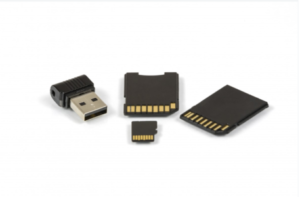
In the event of a breach, you can restore any lost or damaged data with the use of a data backup of the site’s files.
Create regular backups of all the website’s material to guarantee that nothing will be lost.
There are backup plugins available to assist in the process of backing up your site if you use a WordPress site, for instance.
Install antivirus program
Antivirus software offers ways to prevent malware from infecting your website. You can check for, find, and get rid of malware with antivirus software on your computer. To help safeguard your website, antivirus software is a necessity.
Prepare for Malware
In conclusion, malware is harmful because it can disrupt or delete important files, steal personal information, and hijack your computer for illegal purposes. It is important to identify and protect your site from malware because the damage it can cause is significant. To protect your site from malware, you can install security software and keep it up to date, create strong passwords, and back up your data.
By keeping your operating system and browsers up to date, you can present another barrier to malware.
Our article Secure Hosting Essential Elements is a congruent read when learning about malware. Give it a try.
Also, Wikipedia.org has good coverage about website security that will provide more information for you. You can never know too much about malware and how to protect yourself from it.


